Many of you have already shared your referral links with friends and acquaintances — and that's a great start! If you haven't taken advantage of this opportunity yet, now is the perfect time to begin.
In this article, we'll explain in detail how the referral system works, where to find your link, and what rewards are available to both inviters and invited players.
How to Invite a Friend?
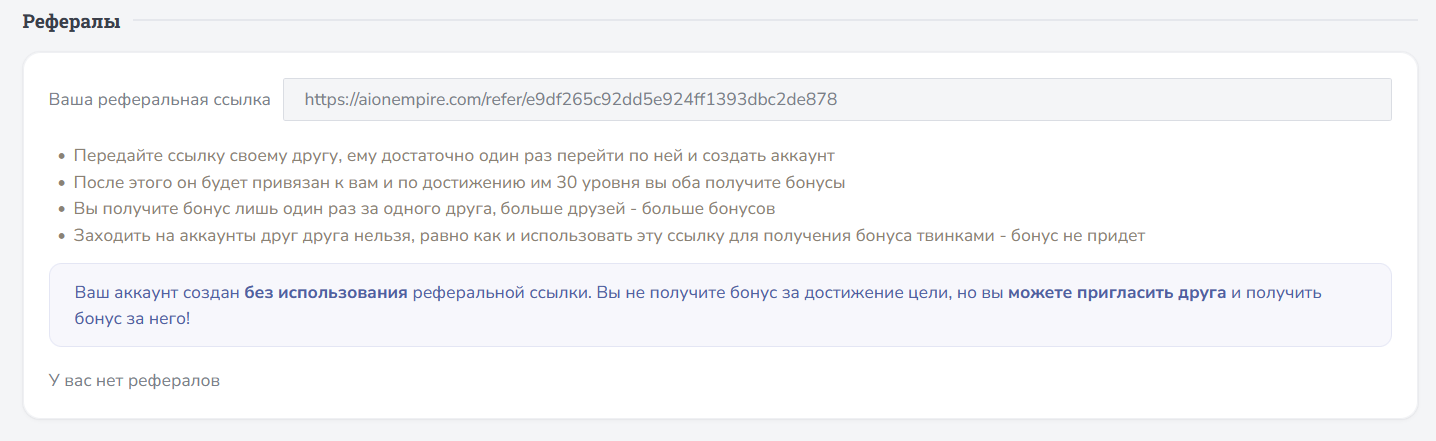
First, copy your referral link — you can find it at the bottom of your Account Dashboard.
Referral Program Requirements
- your friend only needs to follow your referral link once and create an account;
- after registration, their account is automatically linked to yours;
- once the invited player reaches level 30, both of you will be able to claim a reward;
- the bonus is granted once for each invited player — the more friends you invite, the more rewards you can receive;
- logging into each other's accounts or using your referral link to create your own alternate accounts is prohibited — in such cases, the bonus will not be granted.
The number of your referrals is displayed at the bottom of the section. If you haven't invited anyone yet, the list will be empty.
How to Check That the Referral Link Worked?
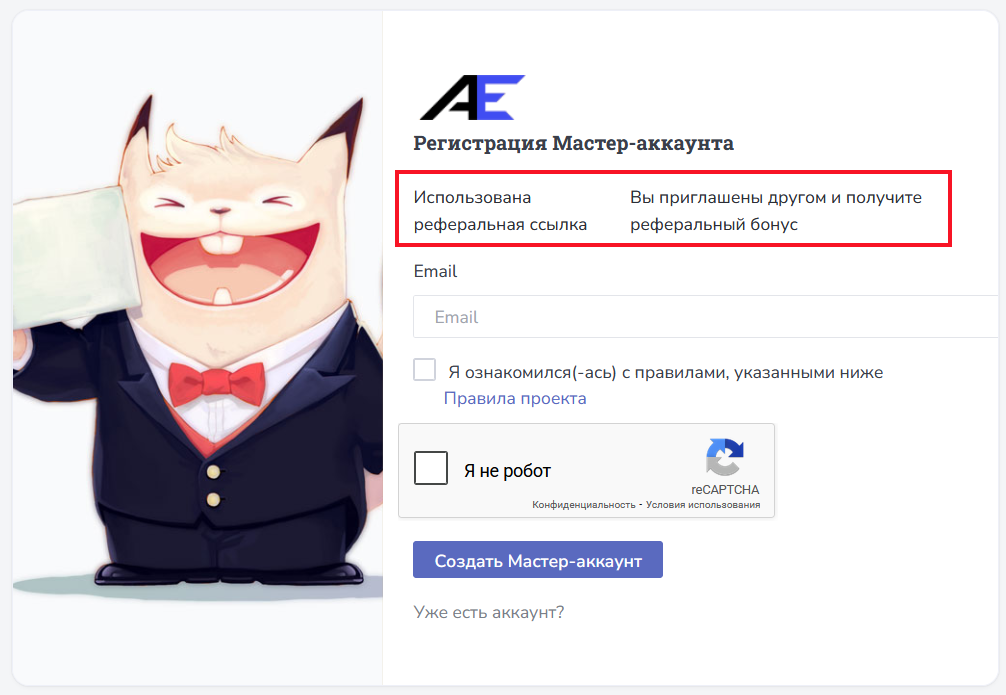
During registration, make sure the invited player sees a message confirming that a referral link has been used and that a referral bonus will be available. This confirms that the account has been successfully linked to the referral program.
Claiming Your Reward

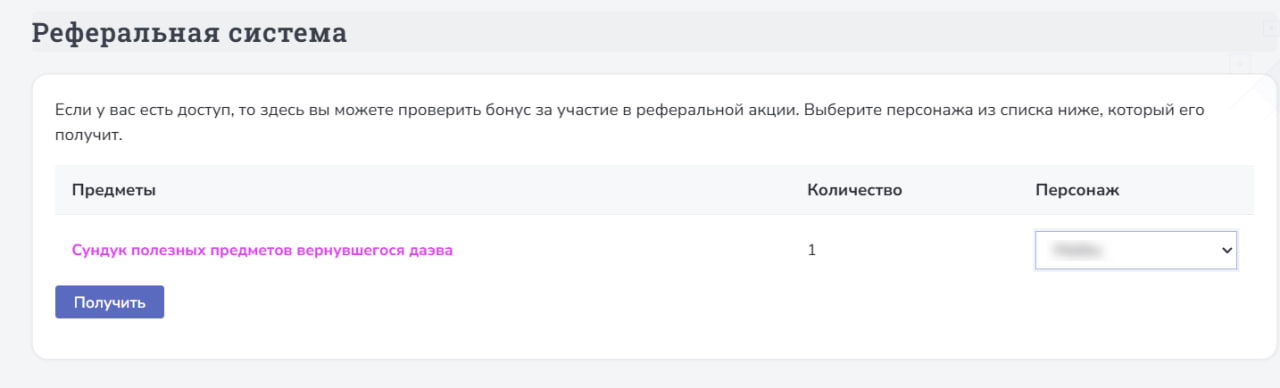
Referral Rewards
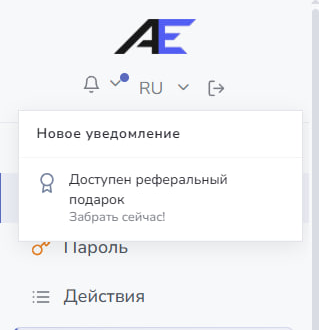
The reward set is the same for both the inviter and the invited player.


If you experience any issues with the referral system or claiming your reward, contact our technical support team.