There are several ways to top up your balance on our website. Before you begin, it is important to understand the difference between the two types of balance:
Master Account Balance
Balance on the website
It is topped up and used in Toll.
Game Account Balance
Balance used in-game
The in-game currency used is Quna.
⚠️ Please note: The Kinah Auction and the purchase of Siel's Aura (VIP) are available only for Toll.
Top-Up Process
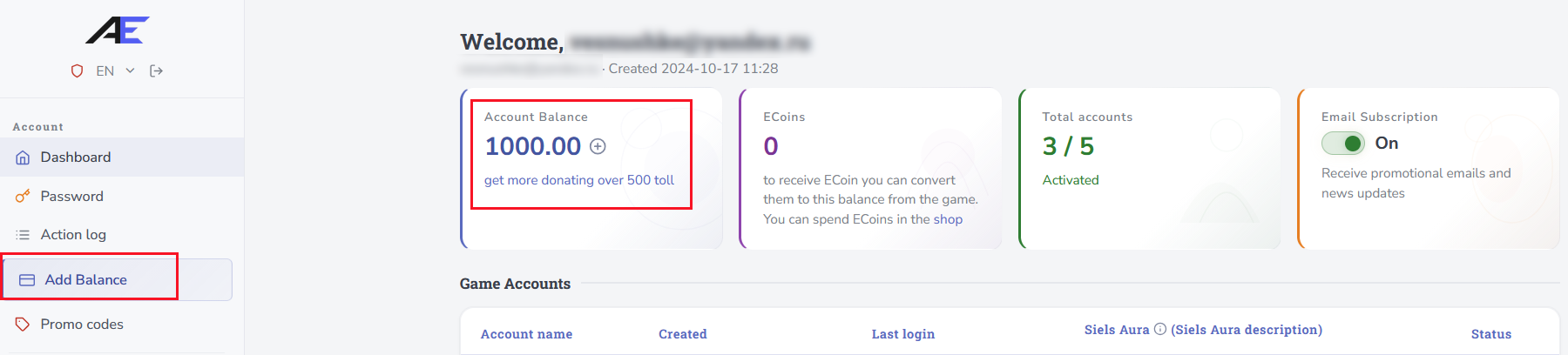
Log in to your Account Dashboard on the website and go to the Balance Top-Up section. You can open it through the side menu or by clicking the + next to your current balance.
1. Enter the Top-Up Amount
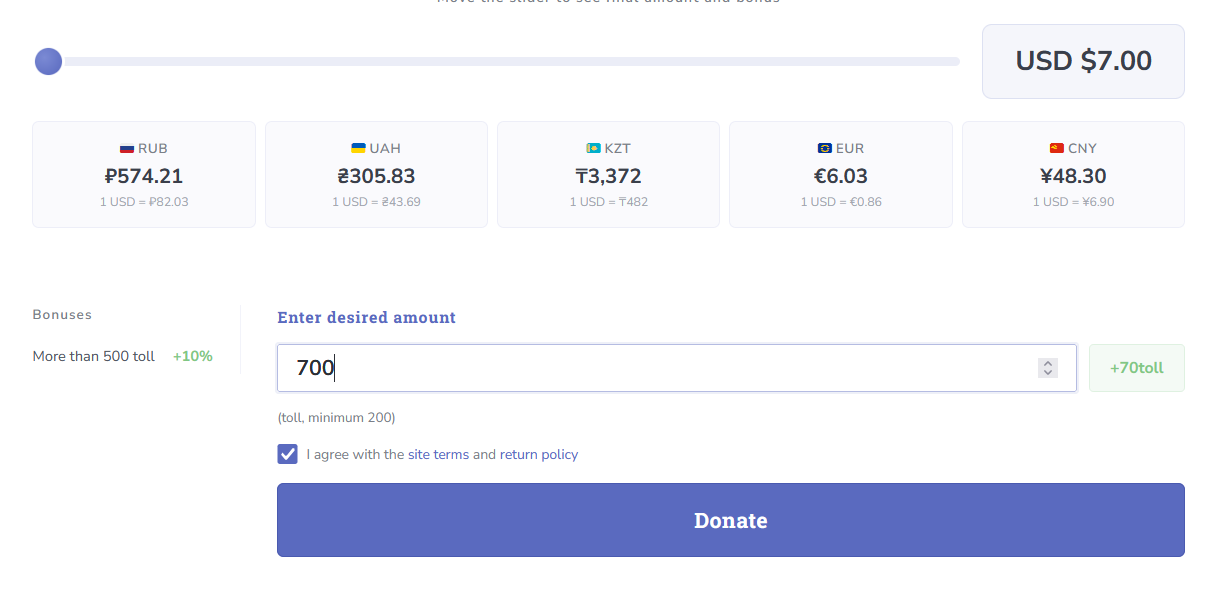
Move the slider to the desired amount of Toll or enter the amount manually in the corresponding field.
- Minimum top-up amount: 200 Toll.
- Rate: 1 Toll = 1 USD.
- When topping up more than 500 Toll, an additional +10% bonus is credited.
2. Confirm the Terms
Before continuing, make sure to review and agree to the Terms of Use and Refund Policy.
3. Choose a Payment Method
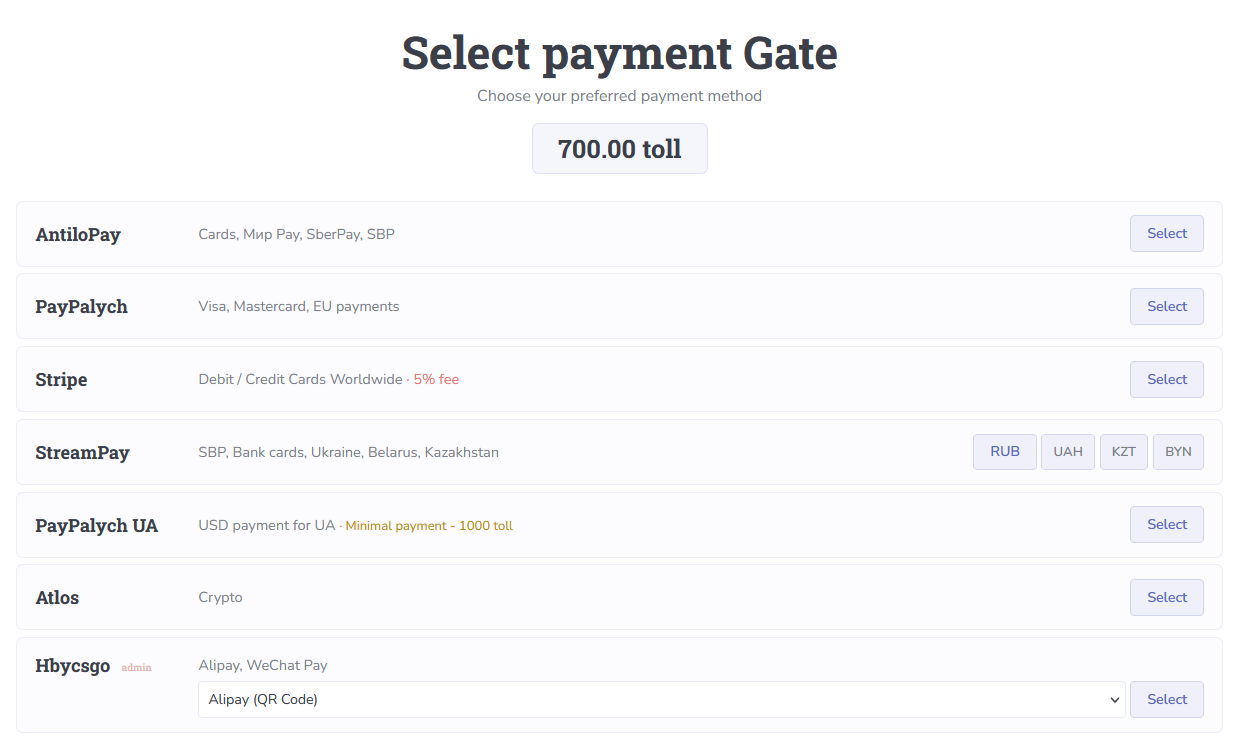
Select the most convenient payment method and follow the system instructions to complete your payment.
Balance Successfully Topped Up
Your Toll are now available on your master account. You can use them in the Website Shop, purchase Quna, or buy Kinah in the Kinah Shop.
How to Buy Quna?
Go to the Shop using the left-hand menu in your Account Dashboard.
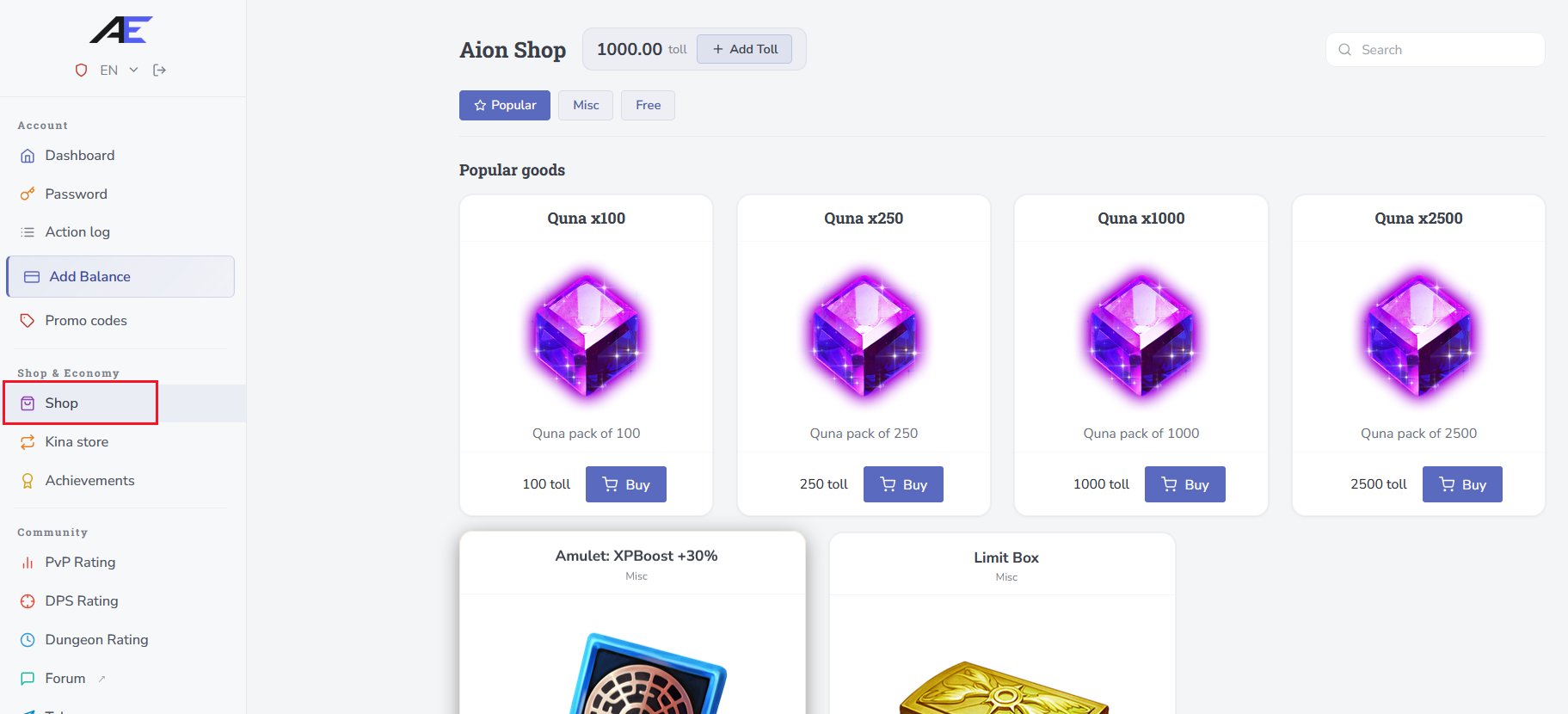
Purchasing Quna
Select the amount of Quna you want to purchase, specify the character who should receive it, and confirm the purchase.
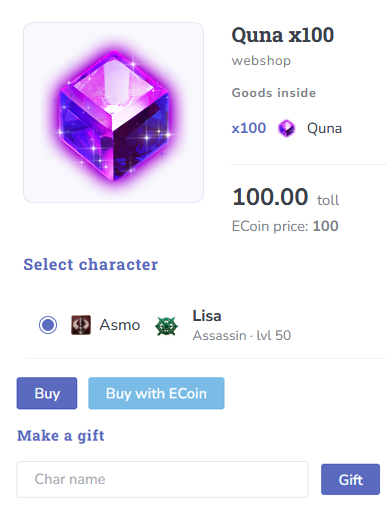
You Can Send Quna to Another Player
Simply enter the other player's nickname in the “Character Name” field before confirming the purchase.
Instant Delivery
Quna is credited to the character instantly. If this does not happen, fully restart the game client after switching the proxy server in the launcher.
⚠️ Having trouble with your payment?
If you experience any issues while topping up your balance or completing a payment, create a ticket with technical support. Describe the situation in detail and attach screenshots if necessary — this will help us investigate the issue more quickly. Our team will review the information and assist you.
If you experience any issues while topping up your balance or completing a payment, create a ticket with technical support. Describe the situation in detail and attach screenshots if necessary — this will help us investigate the issue more quickly. Our team will review the information and assist you.
Done!
You can now spend Quna in the in-game shop on various items, including skins, amulets, dungeon reset scrolls, action and emote scrolls, and other available goods. Enjoy the game!