Sometimes even in the most polished games, a character can fall through the texture, get stuck inside an object, or end up in an inaccessible place from which it’s impossible to get out using standard methods.
For such cases, we have provided a convenient self-service Unstuck tool in your Personal Account.
How to unstuck your character
Important: the character must NOT be online when you use the Unstuck function.
Step 1. Open your game account
Log in to the website and go to Personal Account → Dashboard → Game Accounts.
Find the game account that contains the stuck character and click on its name.
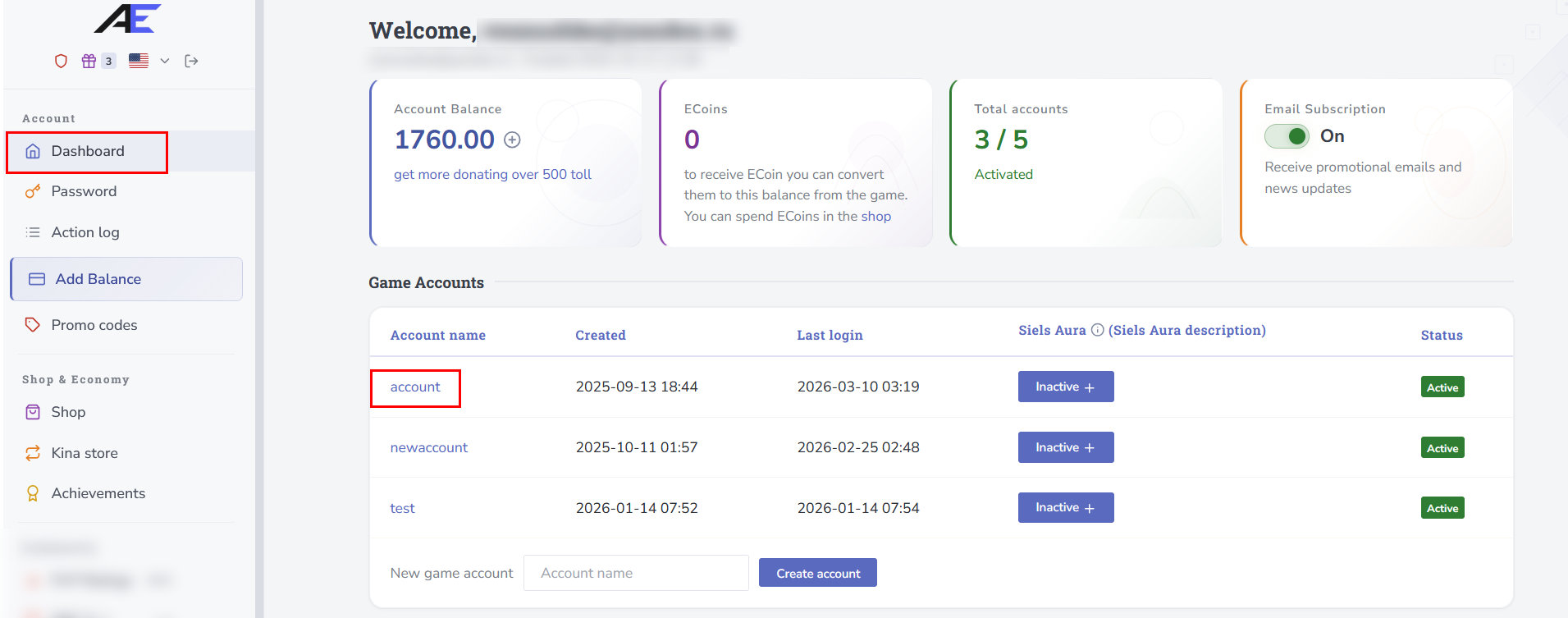
Step 2. Select the character
A list of all characters on the selected account will open. Find the character you need and click the “Unstuck” button next to it.
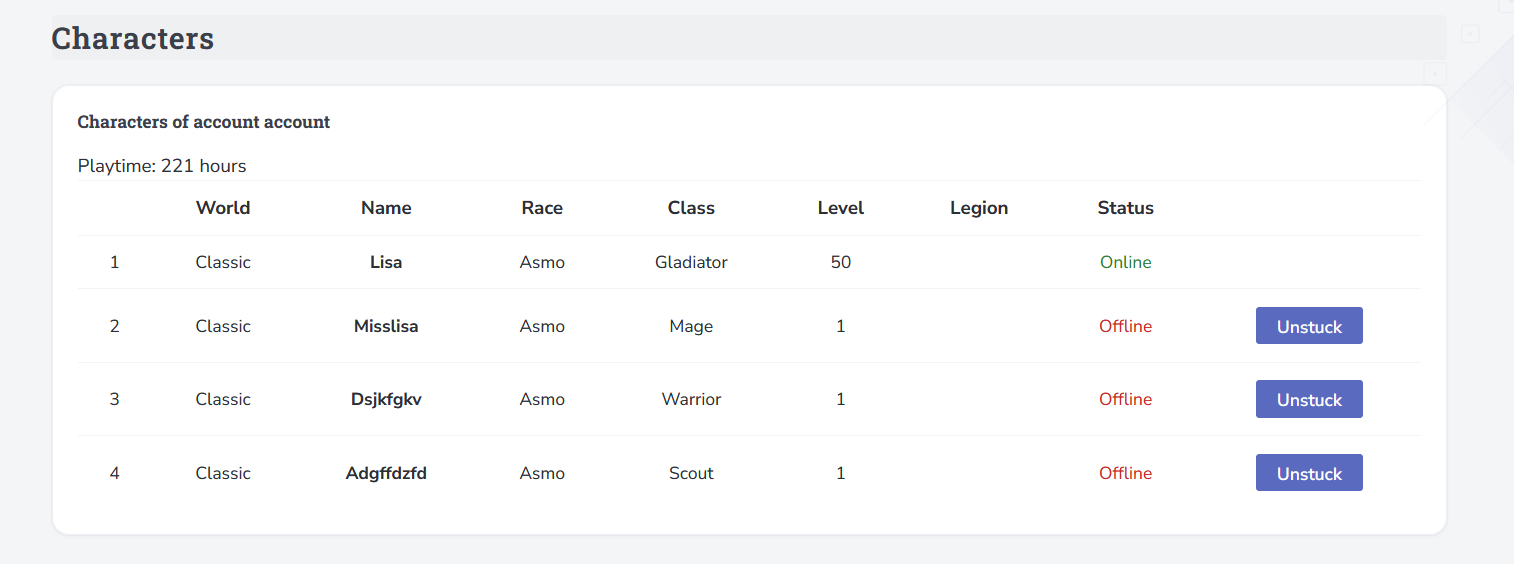
Done!
After using the function, your character will be automatically moved to the previously registered respawn point (Obelisk).
Have a great game — and may your character never get stuck in the most awkward places again! 🌌✨