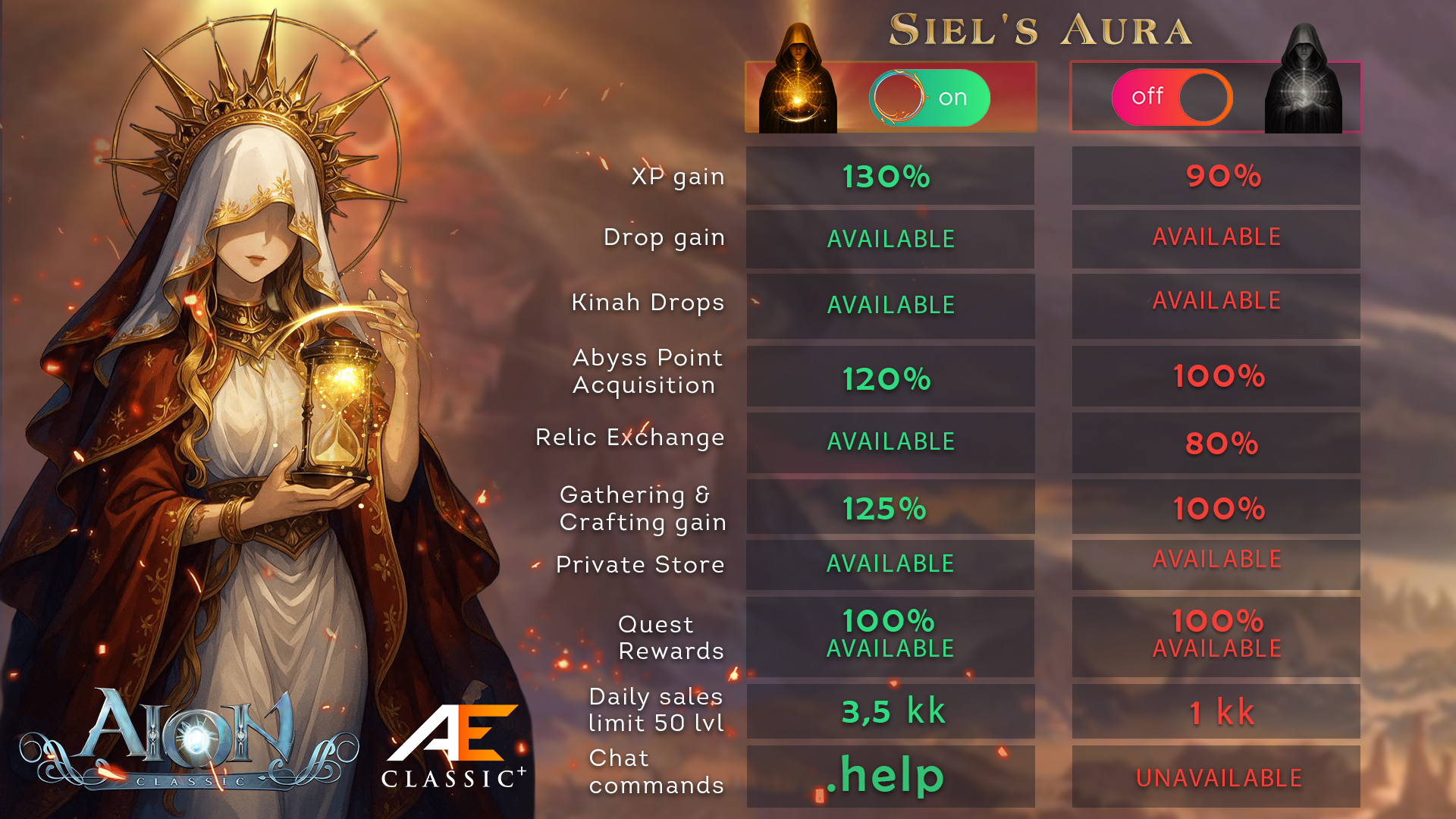
There are two ways to activate Siel's Aura: through your Account Dashboard on the website or directly through the in-game interface.
Before activation, go to your Account Dashboard and top up your balance with 900 Toll — this is the cost of Siel's Aura for 30 days.
Once activated, Siel's Aura applies to all characters on the selected account.
⚠️ Please note: Siel's Aura can only be purchased with Toll. Do not exchange Toll for Quna if you have not purchased premium yet — the exchange cannot be reversed.
You can learn more about available top-up methods in the Balance Top-Up article.
Activation via the Website
1. Select an Account
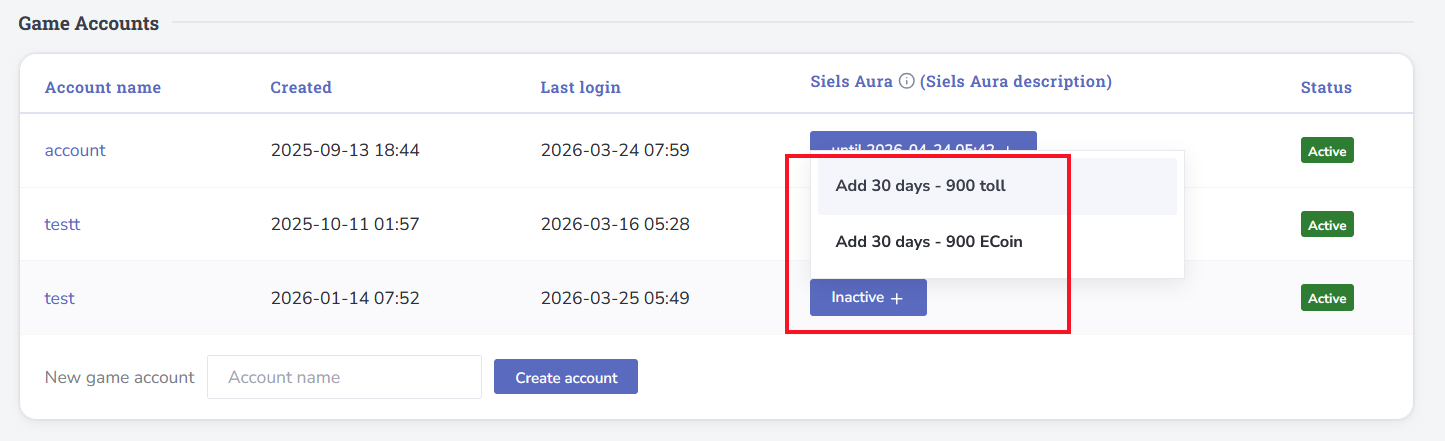
Go to your Account Dashboard and open the “Panel” tab. Click the “+” icon next to the game account you want to activate Siel's Aura for.
2. Activate Siel's Aura
Select the 30-day activation for 900 Toll and confirm the action.
Checking Premium Status
You can check the status of Siel's Aura directly in-game using special chat commands.
Your Account
Enter the following command in the in-game chat:
.premAnother Player
To check another character's premium status:
.prem [character name]
Done! Siel's Aura is now active and available to all characters on the selected account.
Activation In-Game
1. Open the In-Game Shop
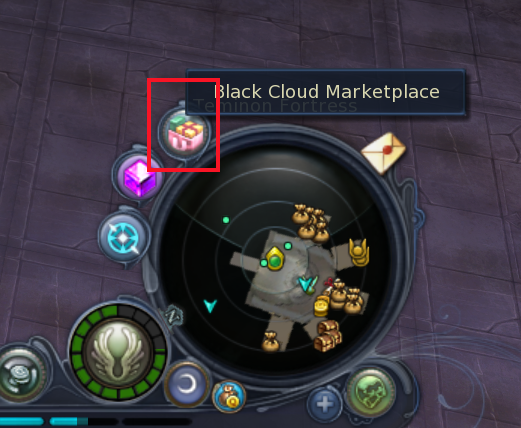
While in-game, click the corresponding shop icon next to the mini-map.
2. Select Siel's Aura
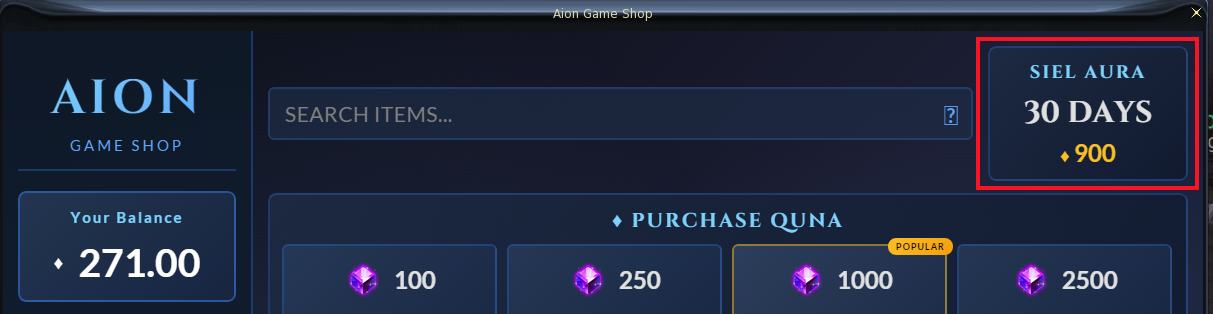
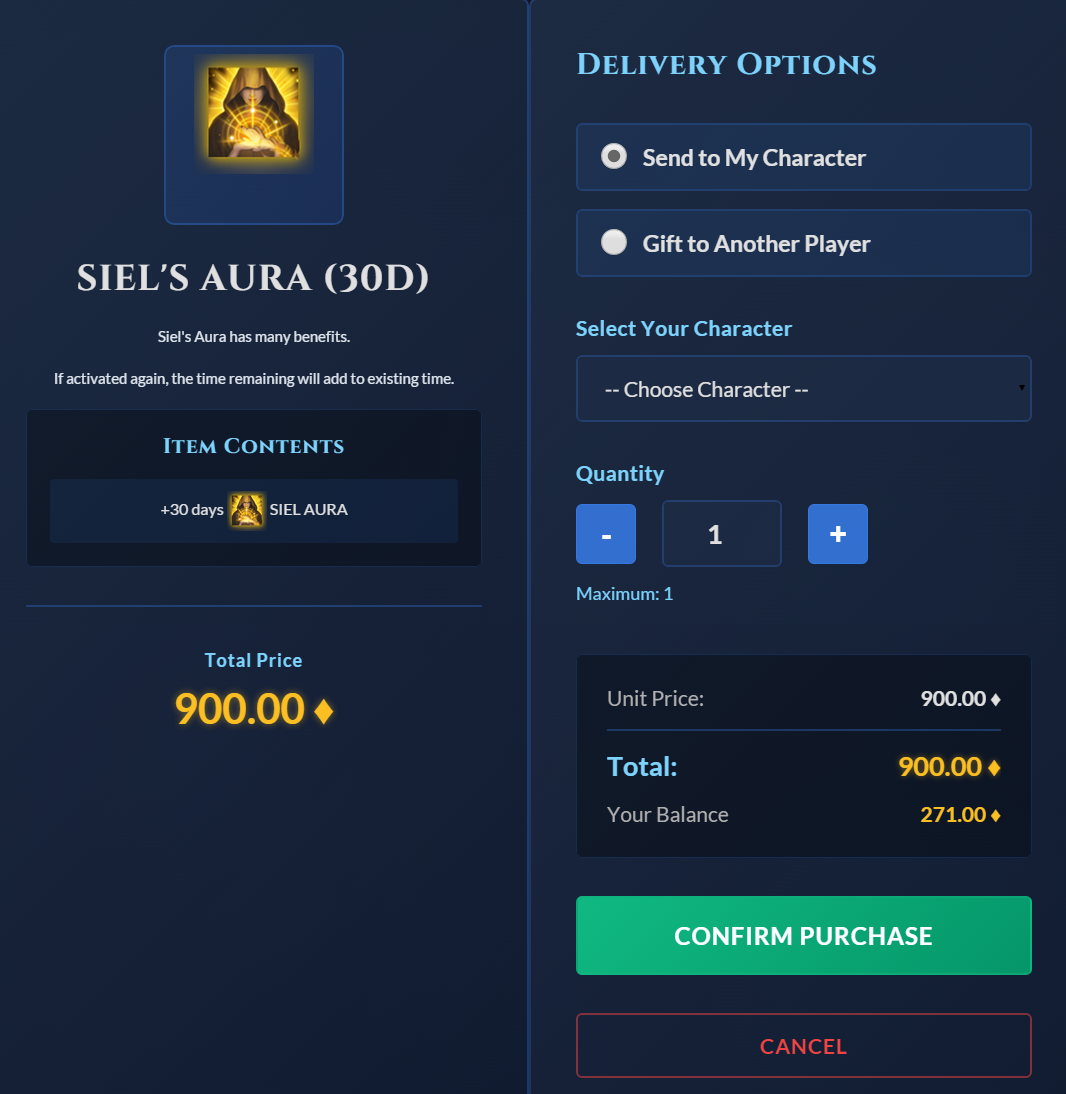
Make sure you have enough Toll on your balance, then select “Siel's Aura (30 days)” and click the purchase button.
Selecting the Recipient
At the next step, you can purchase Siel's Aura for your own account or gift premium to another player.
- For your own account: select your character from the dropdown list.
- For another player: enter the recipient character's name.
After selecting the recipient, confirm the purchase.
Checking the Status After Activation
You can check your premium status using
.prem. To check another player, use .prem [character name].